

Data Management Platform
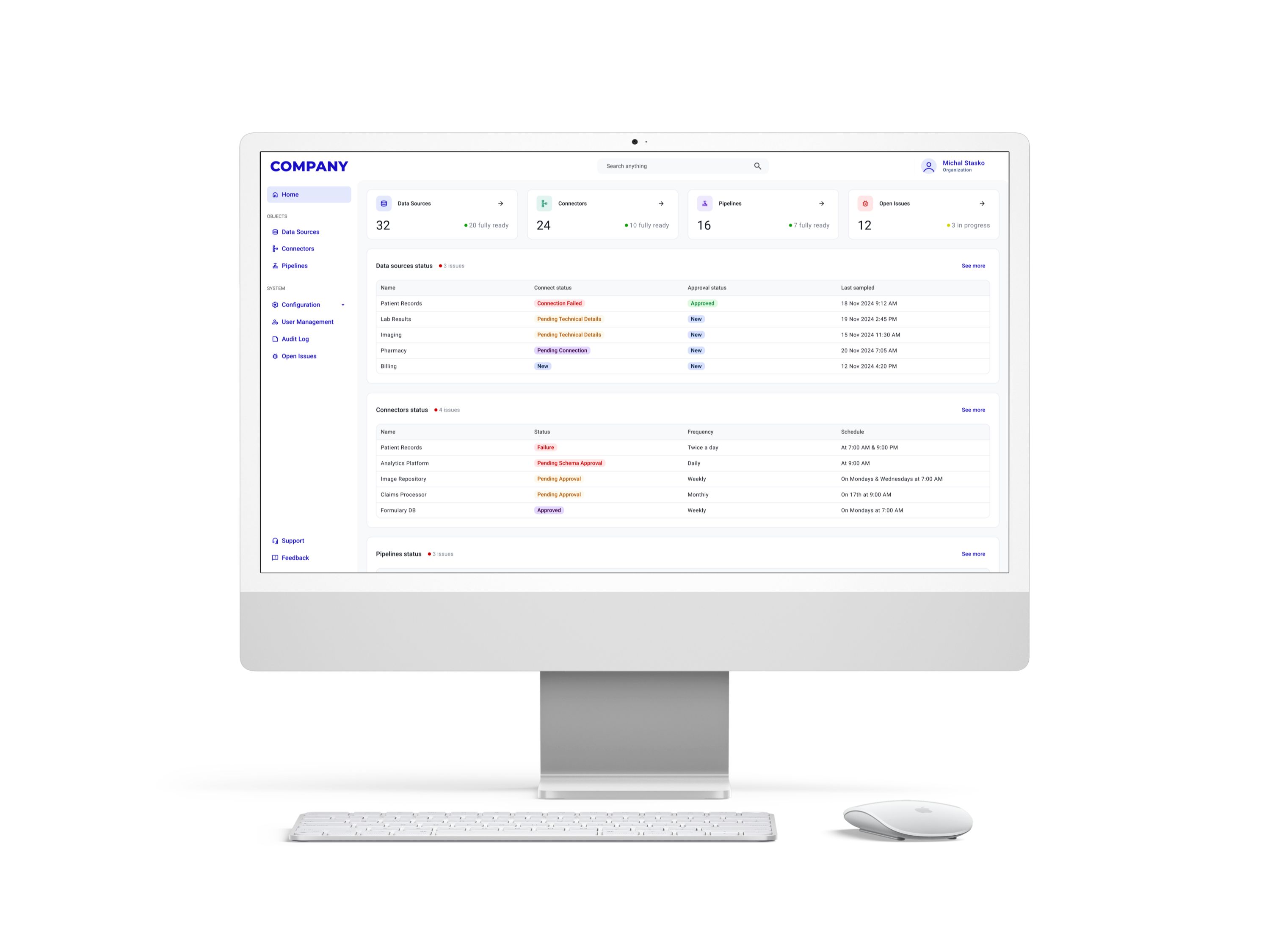
A B2B data management platform designed to help organisations securely manage, protect, and access data across complex multi-cloud environments. The product supports teams working with large datasets, where clarity, security, and compliance are critical to daily operations.
Problem
As organisations scale, their data becomes fragmented across multiple systems and cloud providers. Users responsible for managing this data struggle with poor visibility, complex workflows, and high cognitive load during everyday tasks. This leads to operational inefficiencies, a higher risk of errors, and reduced trust in the system.
My role and responsibilities
I worked as the sole UX/UI Designer, owning the design process end to end. My responsibilities included defining user flows and information architecture, setting up the design system, creating wireframes, high-fidelity UI designs, interactive prototypes, and preparing documentation and user stories for the development team.
I collaborated closely with stakeholders and engineers to ensure design decisions aligned with technical constraints and business goals.
Process
The project was built around close collaboration with engineering stakeholders, primarily the VP of Engineering, who represented the business and technical perspective throughout the process.
The work began with stakeholder workshops focused on understanding business goals, constraints, and existing assumptions. Previously prepared personas and a high-level user journey were used as a starting point for further UX exploration.
Research and discovery
To validate assumptions and better understand operational challenges, I conducted a discovery phase combining stakeholder interviews, documentation analysis, and internal consultations.
This research focused on identifying pain points related to system configuration, data visibility, approval processes, and day-to-day maintenance tasks.
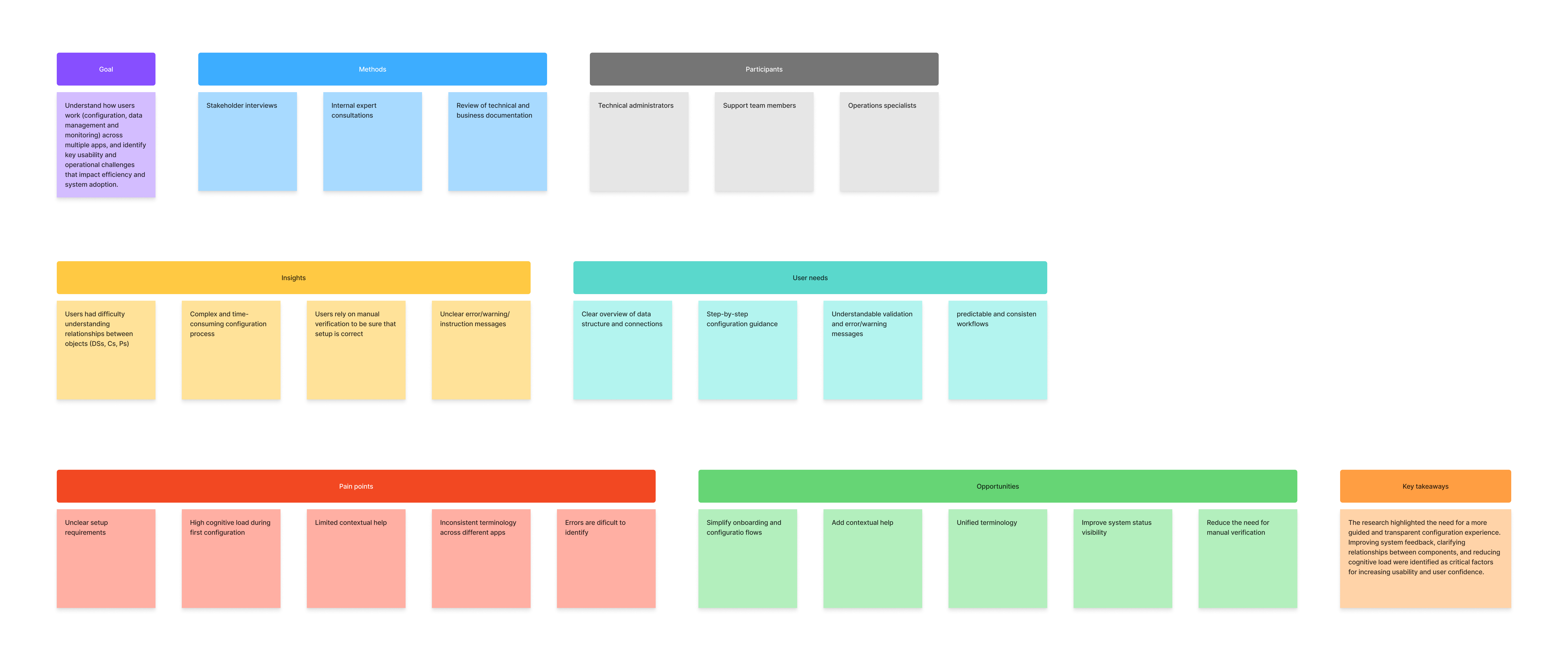
A synthesis of qualitative and desk research used to identify usability challenges, system dependencies, and improvement areas.
Structuring the system
Based on research insights, I focused on structuring complex data operations in a way that matched users’ mental models.
I created a detailed information architecture to define system modules, navigation logic, and hierarchical relationships between data sources, connectors, and pipelines.
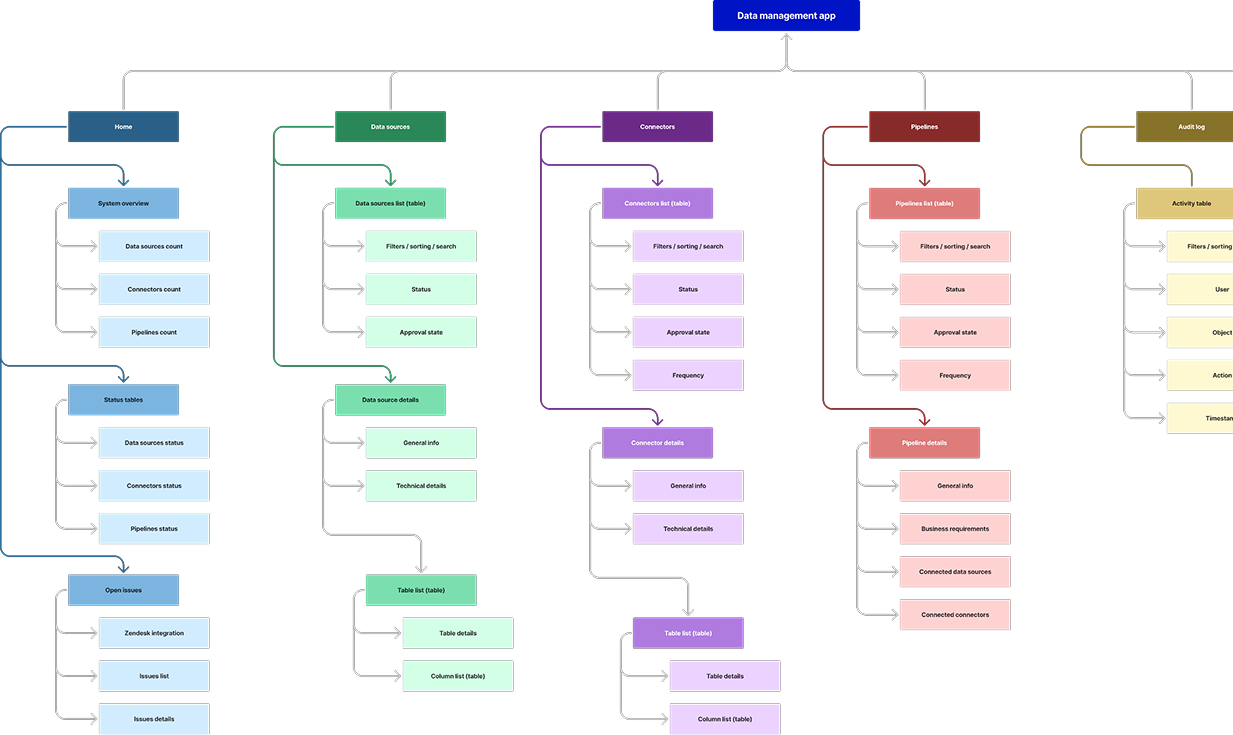
A high-level overview of core modules and their relationships, created to align navigation and data hierarchy across the platform.
Defining user flows and access rules
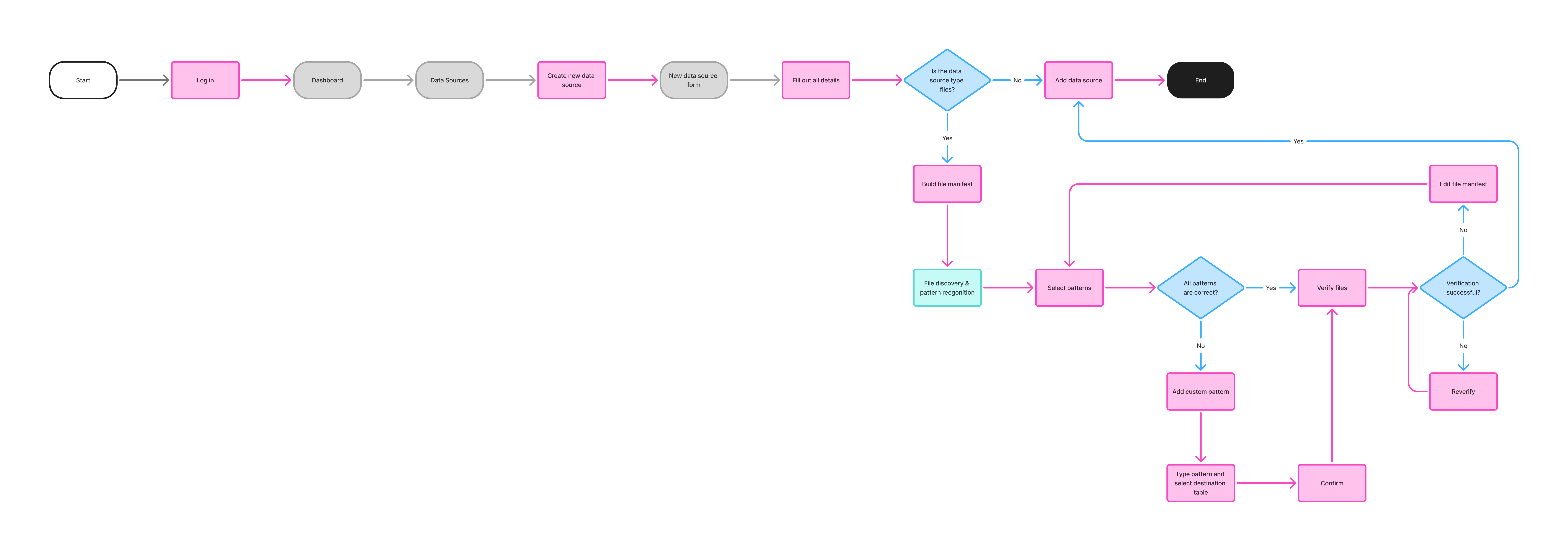
To support critical workflows, I developed detailed user flows mapping key operational paths and decision points. These flows helped surface unnecessary complexity early and informed prioritisation before moving into visual design.
In parallel, I defined a role-based permission model to ensure consistent access rules and approval processes across the system.
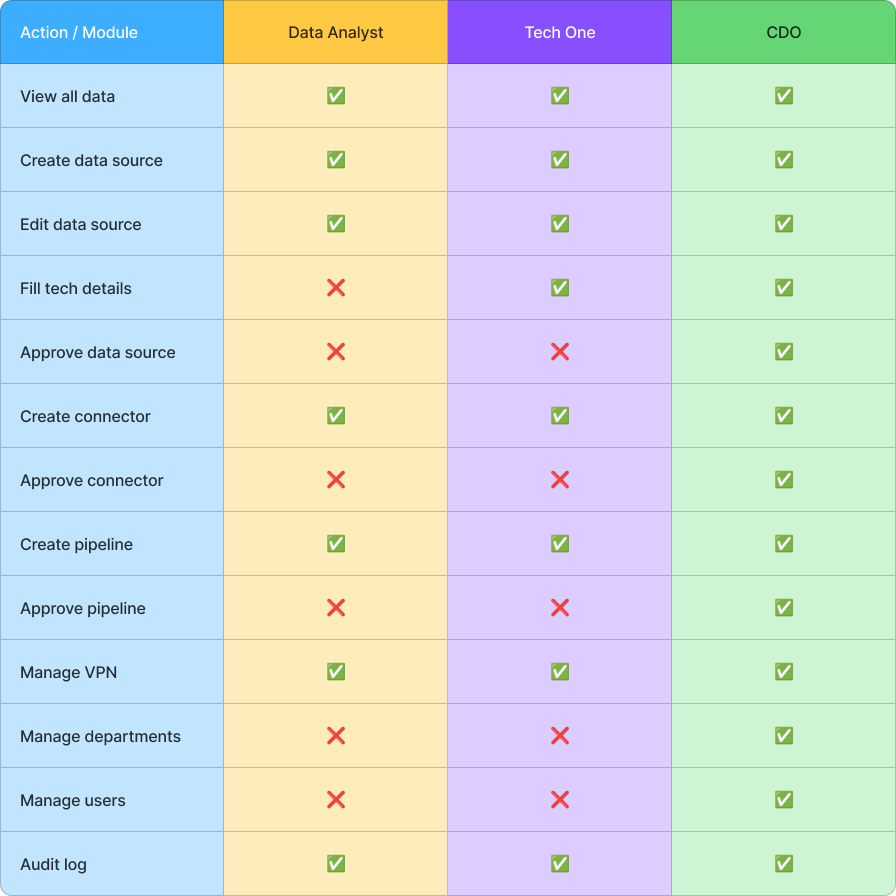
A structured overview of responsibilities, editing rights, and approval levels for different user groups.
Design and validation
Based on the validated structure and flows, I selected and configured a design system and designed initial mockups, focusing on hierarchy, readability, and reducing cognitive load when working with large datasets.
Interactive prototypes were created to simulate real usage scenarios and validate navigation logic and data visibility with stakeholders.
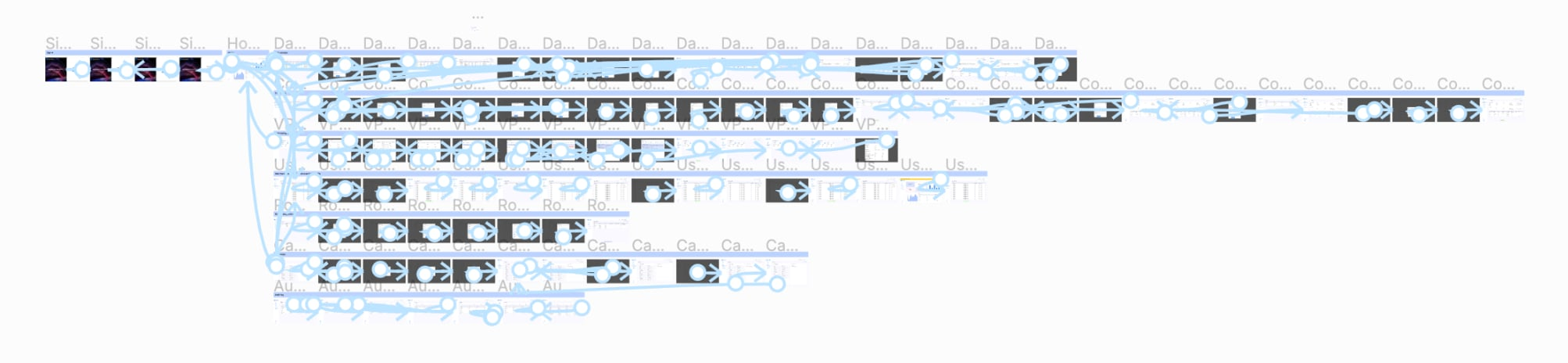
Due to time and budget constraints, formal usability testing was not possible. To reduce risk, I conducted informal validation sessions focused on task clarity and usability, combined with iterative stakeholder reviews.
Once designs were approved, I prepared detailed requirements and led the design handoff with the development team. During development, I supported the team through design reviews and ongoing collaboration.
Solution
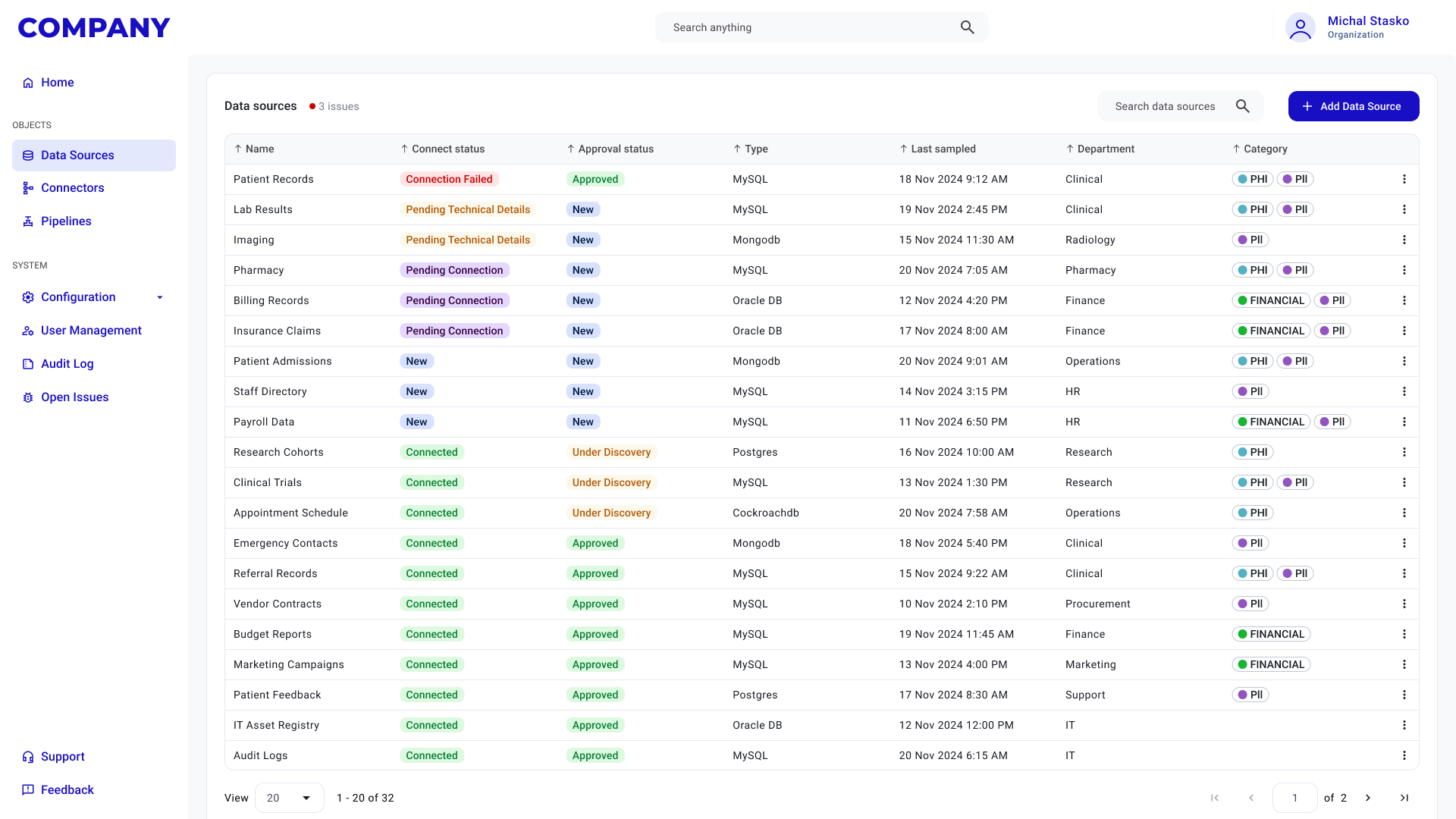
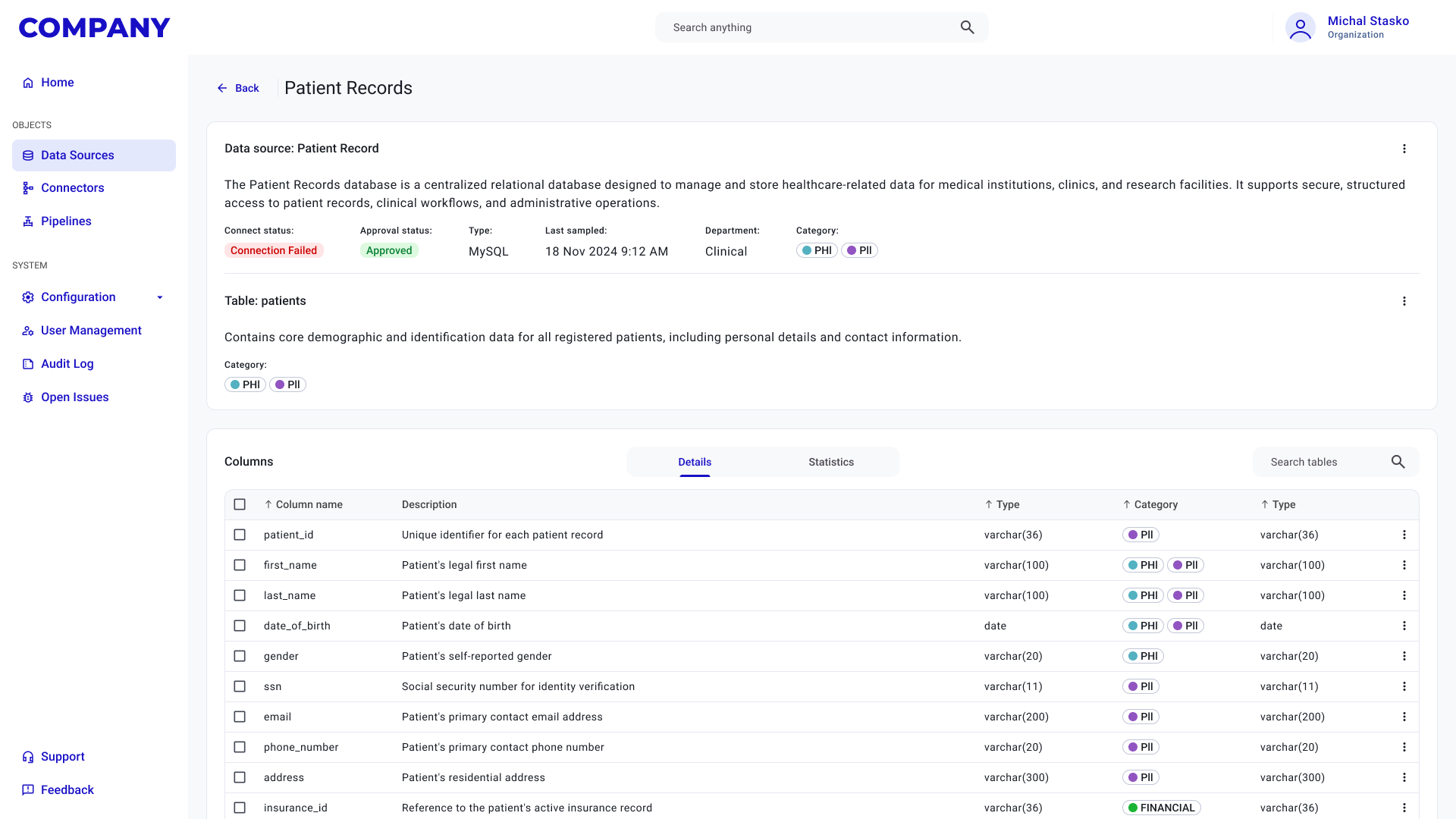
The final solution prioritises clear data presentation and predictable workflows. Key features are built around structured tables, consistent interaction patterns, and simplified processes for managing data objects. An additional support-oriented feature enables internal teams to access user data directly, allowing faster and more accurate assistance when needed.
Outcome
As the product is still in development, outcomes are currently based on stakeholder feedback and internal validation.
Early signals indicate improved clarity when working with complex datasets, reduced friction during key operational tasks, and higher confidence in system governance.
Lessons learned and challenges
This project reinforced the importance of early structural work, particularly research, information architecture, and user flows, when designing data-heavy platforms.
Limited access to real users required adapting validation methods and maintaining close collaboration with engineering to minimise risk. Working closely with technical stakeholders helped ensure that design solutions remained feasible and scalable.
Ongoing user validation will be essential as the product evolves.
